How to Register for Training
Training in the Professional Education Portal (PEP) is available to all faculty and staff, as well as current students. Managers and supervisors can assign training their employees, or employees and students may register for training themselves.
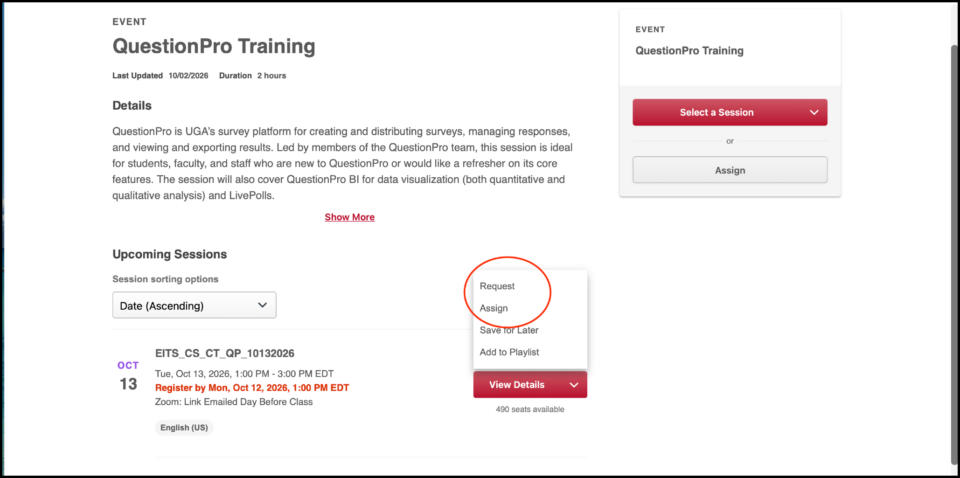
Once you’ve found your training event, scroll to Upcoming Sessions, and find the session you want to register for. Click the down arrow next to View Details.

To register yourself for an Upcoming Session: Select Request. Your registration is complete.
Supervisors: To register your employees for an Upcoming Session, select Assign. You will be taken to a new screen to select your employees. If you want your employees registered automatically, check the box for Automatically Register Users. Your employees will receive an email notification that they have been assigned training.